EN

enable chat notification sound
Guide

List of product categories

Click on the button ‘EXPAND LIST OF CATEGORIES’ to drop down the panel with the list of product categories. You can always roll up the panel by clicking on the button again.

Next step >
Step

Guide

Approvals, declarations, data specifications

Click on the pictogram to go to the subpage with approvals and declarations for the product, or to see the data specifications, installation instructions or connection options.

Next step >
Step

Guide

Filter products

Select the product parameters you are interested in and click on ‘CONFIRM SELECTED OPTIONS’ to display the items in the product table below the filter module more precisely.

Next step >
Step

Guide

Product table

Most of our products have many parameters, which is why the tables describing them are often quite long. Move the tables to the left or right using the blue sliders above and below the table to see the full set of parameters.

Next step >
Step

Guide

Adding products to the list

By clicking on the plus sign ‘Add to list’, you can add selected items to the product list. You can also add all items from the table to the list by clicking on the ‘Add all to list’ button in the table header. Similarly, you can remove items from the product list by clicking on the minus sign ‘Remove from list’.  After adding products to the list, information about the number of products added to the list will appear next to the list button on the right side of the top menu.   After adding products to the list, the pictograms in the ‘Download files related to the products on the list’ section will become active and you will be able to download the data you are interested in.

Next step >
Step

Guide

Product list and submitting enquiries

After you have added products to your list, a pictogram of a list will appear next to the list button, informing you how many products you have added to the list. By clicking on the list pictogram on the right-hand side of the top menu, you will be taken to the product list subpage. There, you can send an enquiry for the products you have added to your list, download the list as an Excel or PDF file, send it by email or print it out. You can also edit the quantities of selected items and remove them from the product list.

Close the guide
Step
Expand categories Collapse categories

Connection
version

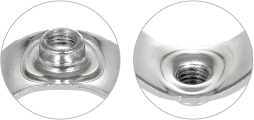
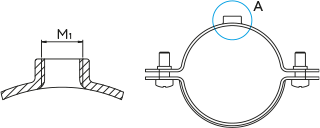
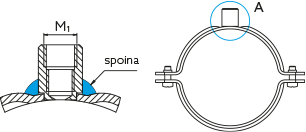
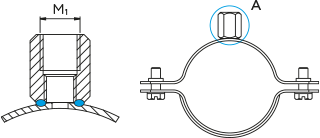
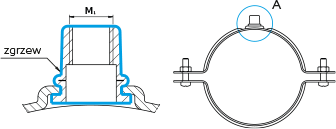
The connection is available in various designs
View A
M1 connections
Connection version

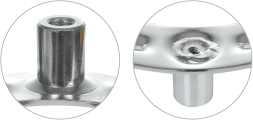
It is made as a homogeneous upsetting of the material.

M6 M8
A

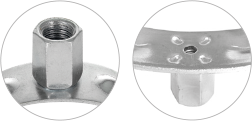
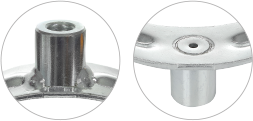
It is made as a pressed threaded sleeve welded on the outside of the clamp.

M8 M10 M10/M12 M12/M16
B

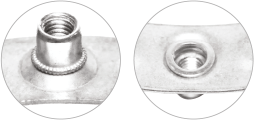
It is made as pressed threaded sleeve welded on the inside of the clamp.

M10/M12 M12/M16
C

It is made as a special hexagonal nut pressure welded on the inside of the clamp.

M8 M10
D

It is made as a homogeneous upsetting of the material.

M8/M10
E
Side attachment

Clamps ordering legend

Clamp
Index
Catalogue number
Description
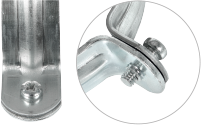
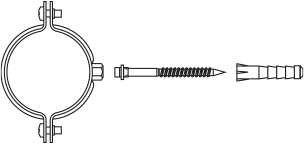
Without pin
BK
_ _ _ _ _ _ _ 0 _

To order such a version, add the index BK at the end of the designation to the order, while in the part number, enter 0 as the penultimate digit of the code.

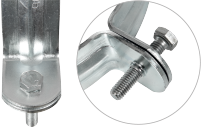
Complete, with pin, not screwed
KPL
_ _ _ _ _ _ _ 1 _

To order such a version, add the index KPL at the end of the designation to the order, while in the part number, enter 1 as the penultimate digit of the code.

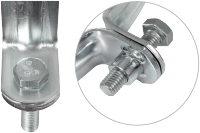
Complete, with pin, screwed
SKR
_ _ _ _ _ _ _ _ 2 _

To order such a version, add the index SKR at the end of the designation to the order, while in the part number, enter 2 as the penultimate digit of the code.

Installation
instructions:

Data
sheet

Pipe clamps with lining


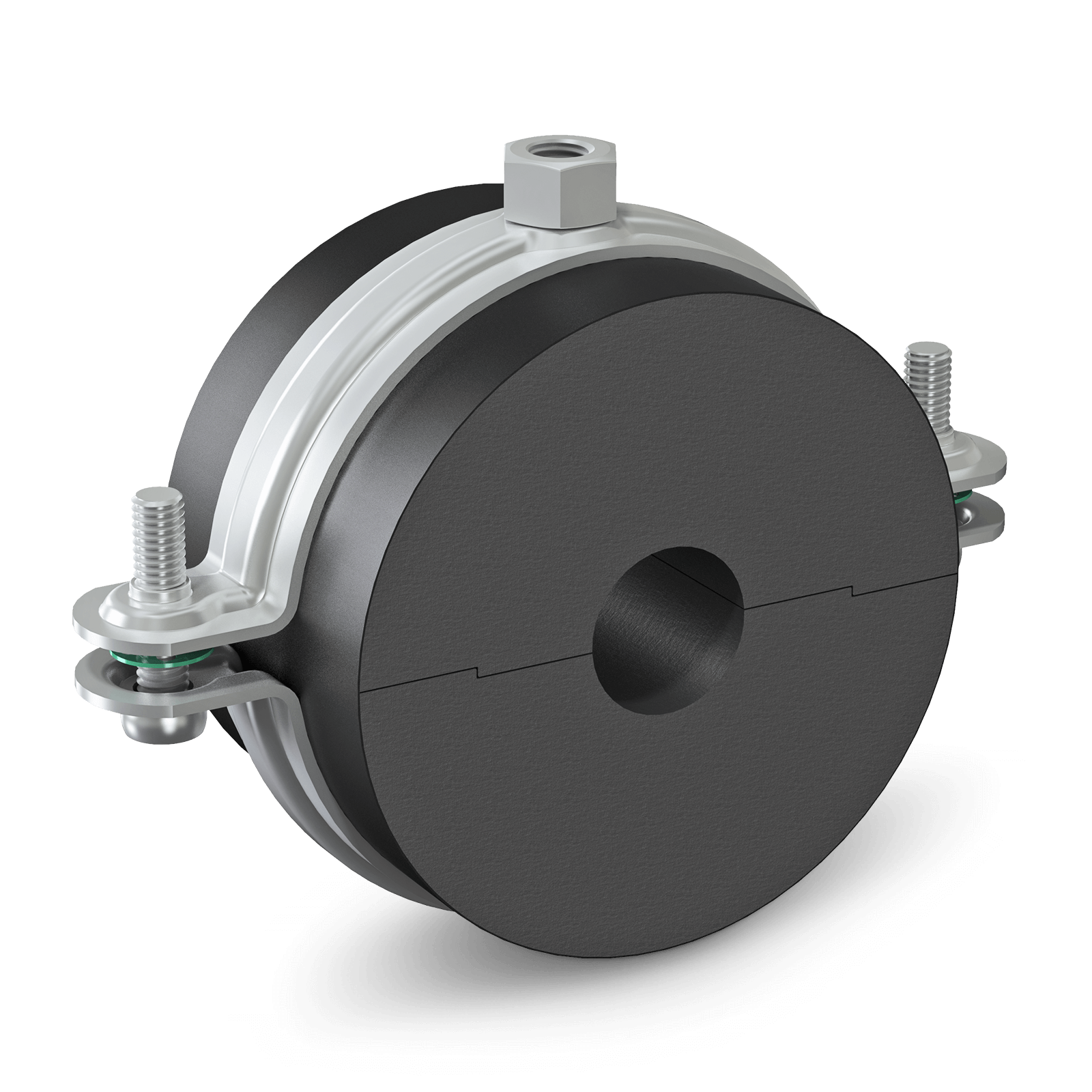
Thermal insulation clamps PX30

  • Corrosion protection: galvanic zinc coating
  • Connecting bolts: Fatal error: Uncaught TypeError: Cannot access offset of type string on string in /usr/home/niczuk/domains/staging-zam.niczuk.pl/public_html/templates_c/5925a217791850233a69b9252159dd61d690295e_0.file.product-single.tpl.php:956 Stack trace: #0 /usr/home/niczuk/domains/staging-zam.niczuk.pl/public_html/lib/smarty/sysplugins/smarty_template_resource_base.php(123): content_68a6dfd7d3bbe6_27989530(Object(Smarty_Internal_Template)) #1 /usr/home/niczuk/domains/staging-zam.niczuk.pl/public_html/lib/smarty/sysplugins/smarty_template_compiled.php(114): Smarty_Template_Resource_Base->getRenderedTemplateCode(Object(Smarty_Internal_Template)) #2 /usr/home/niczuk/domains/staging-zam.niczuk.pl/public_html/lib/smarty/sysplugins/smarty_internal_template.php(216): Smarty_Template_Compiled->render(Object(Smarty_Internal_Template)) #3 /usr/home/niczuk/domains/staging-zam.niczuk.pl/public_html/lib/smarty/sysplugins/smarty_internal_templatebase.php(232): Smarty_Internal_Template->render(false, 1) #4 /usr/home/niczuk/domains/staging-zam.niczuk.pl/public_html/lib/smarty/sysplugins/smarty_internal_templatebase.php(134): Smarty_Internal_TemplateBase->_execute(Object(Smarty_Internal_Template), NULL, NULL, NULL, 1) #5 /usr/home/niczuk/domains/staging-zam.niczuk.pl/public_html/controllers/products/product-single.php(275): Smarty_Internal_TemplateBase->display('products/produc...') #6 /usr/home/niczuk/domains/staging-zam.niczuk.pl/public_html/controllers/products/products.php(95): require_once('/usr/home/niczu...') #7 /usr/home/niczuk/domains/staging-zam.niczuk.pl/public_html/controllers/main.php(78): require_once('/usr/home/niczu...') #8 /usr/home/niczuk/domains/staging-zam.niczuk.pl/public_html/index.php(138): require_once('/usr/home/niczu...') #9 {main} thrown in /usr/home/niczuk/domains/staging-zam.niczuk.pl/public_html/templates_c/5925a217791850233a69b9252159dd61d690295e_0.file.product-single.tpl.php on line 956